
AI for digital work planning is now part of daily life for many people and teams. We use to-do lists, task boards, and productivity apps to keep work organized, especially when tasks pile up and projects come at once.
However, as work gets more complex, the challenge changes. It is not about “do we need a to-do list.” Instead, it is about how to plan fast without losing focus. That is why AI for digital work is becoming a practical productivity assistant.
Real-world note
In many teams, the biggest delays happen at two points. First, when starting a project. Second, when keeping plans updated during execution. AI can reduce both. So teams can move faster with less admin work.
AI Is a Helper, Not a Replacement
AI does not need to replace your workflow. Instead, it acts as a planning assistant. It helps you draft, adjust, and tidy your plan as work changes day by day. In short, humans decide. AI supports the process.
Benefits of AI for Digital Work Planning Across Each Stage
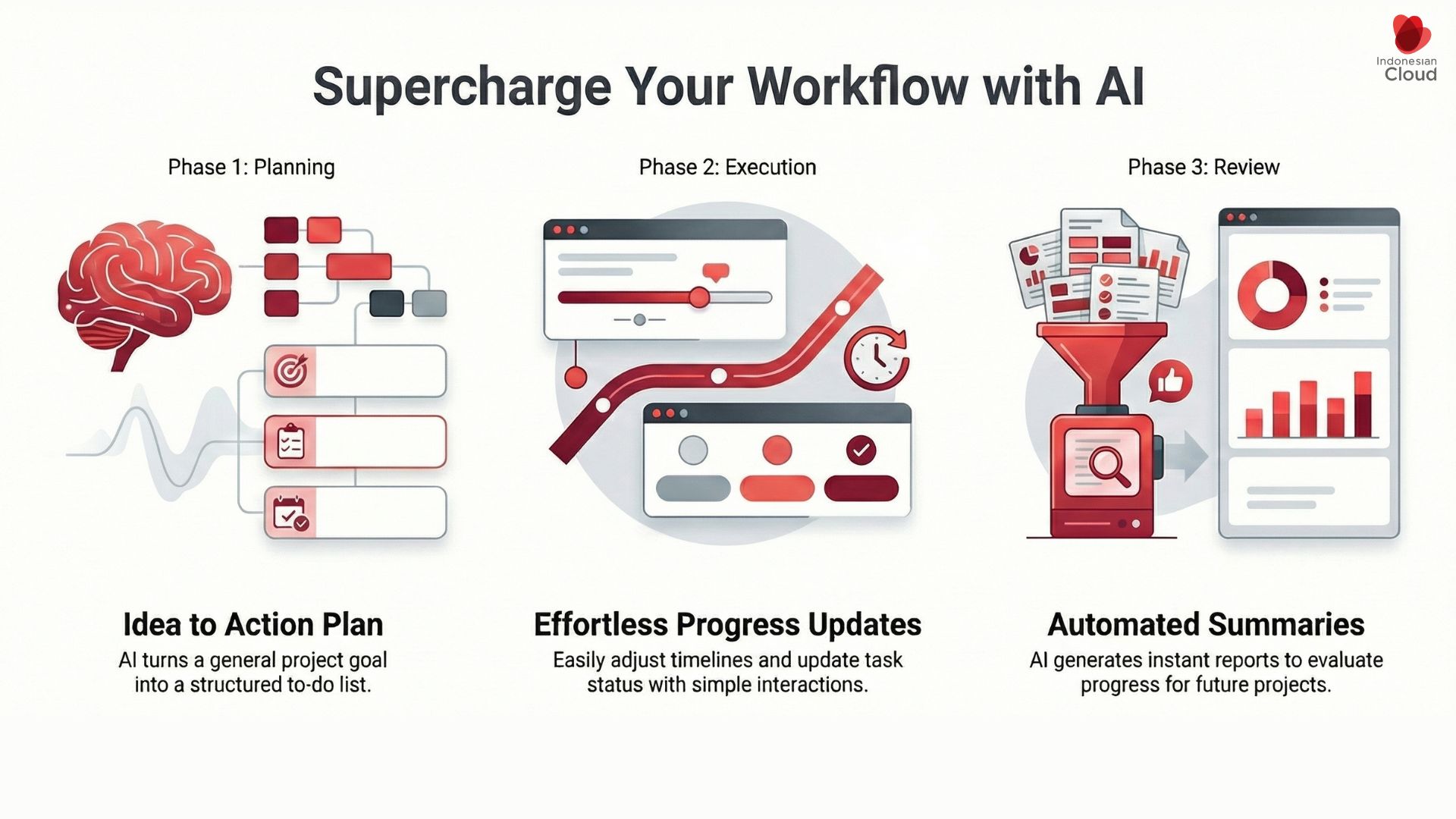
1) Pre-Execution: Start Projects Faster
When a new project arrives, you often only have the big picture. You have goals, deadlines, and limited context. Building a task list from scratch takes time and energy.
AI can help you:
- Turn a project description into an initial task list
- Break big work into smaller steps
- Create a structure you can edit right away
As a result, you can start faster, even when projects stack up.
2) Execution: Keep Plans Aligned With Progress
During execution, you should focus on finishing tasks. Yet status updates and replanning often get delayed because they interrupt your flow.
AI helps because it can:
- Update status through short chat-style inputs
- Reorder priorities when conditions change
- Keep plans current without heavy manual work
So your plan stays relevant, while your focus stays intact.
3) Post-Execution: Auto Summaries for Review
After work ends, progress data is often scattered across tasks and notes. Still, this data matters for evaluation and the next plan.
AI can:
- Summarize progress and outcomes automatically
- Create weekly summaries or short reports
- Store insights for future planning
Therefore, planning continues even after delivery. It becomes a loop of improvement.
Who Benefits the Most?
Individuals and Operational Staff
So, AI helps people start faster and stay organized. For example:
- Faster to-do list creation
- Clear steps from messy task descriptions
- Cleaner and easier task lists
Specialists and Team Leads
AI helps coordination stay in sync. For example:
- Quick updates without breaking focus
- Simpler task coordination
- Easy summaries of ongoing work
Managers and Decision Makers
AI supports visibility and better decision context. For example:
- Readable project summaries
- Cross-team overviews
- Insights for future planning
Best Practices to Keep It Accurate and Human
Use AI for structure, not assumptions
AI is great at drafts and summaries. Still, you should validate priorities, risks, and dependencies.
Keep prompts clear and short
For instance:
-
“Break down project X. Two week timeline. Three-person team. Output: landing page, tracking, and report.”
Protect sensitive data
Set rules for what can be shared with AI tools. Also, use role-based access and keep decision logs.
AI Needs a Strong Infrastructure
To run AI workflows smoothly, your systems must be stable and secure. In Indonesia’s digital transformation, infrastructure remains the foundation for long-term adoption.
That is where a local cloud provider like PT Indonesian Cloud can help. It supports flexible, secure, and scalable digital work systems for modern teams.
Conclusion
By helping teams plan faster, keep task lists clean, update progress with less friction, and generate quick summaries, AI for digital work planning improves productivity across all levels—from individuals to leadership.
If you want a secure and scalable foundation for AI-driven workflows, Indonesian Cloud can help you build the right cloud setup for your organization.